Heat Load Calculations in Minutes
HeatLoadPro turns your iPhone Pro or iPad Pro into a professional HVAC tool. Scan rooms with LiDAR, get instant heat load results, and generate client-ready PDF reports — all in one app.
Requires a LiDAR-equipped device — iPhone 12 Pro or later, or a 2020 iPad Pro or later. The LiDAR scanner is only on Pro models, so a standard iPhone or iPad won't work.
Watch it in action
A full walkthrough — scan a room, annotate it, and pull a heat load result in minutes.
Everything you need on the job site
Built for HVAC contractors who need accurate results fast — not another spreadsheet.
LiDAR Room Scanning
Use the LiDAR sensor on your iPhone Pro or iPad Pro to scan rooms in seconds. Walls, windows, and doors are automatically detected and measured.
Instant Heat Load Results
Get accurate Manual J-style heat load calculations the moment your scan is complete — no more manual data entry.
Multi-Room Projects
Organize calculations by project. Scan every room in a house, track design conditions, and see totals across the whole building.
Professional PDF Reports
Generate branded PDF reports with heat load data and equipment recommendations. Share directly with clients from your phone.
Local Design Conditions
Enter a ZIP code and get accurate local design temperatures automatically pulled for your calculation.
Equipment Recommendations
Get tiered equipment sizing recommendations based on your calculated loads — from budget to premium options.
See the app
A few of the screens you'll spend the most time in.
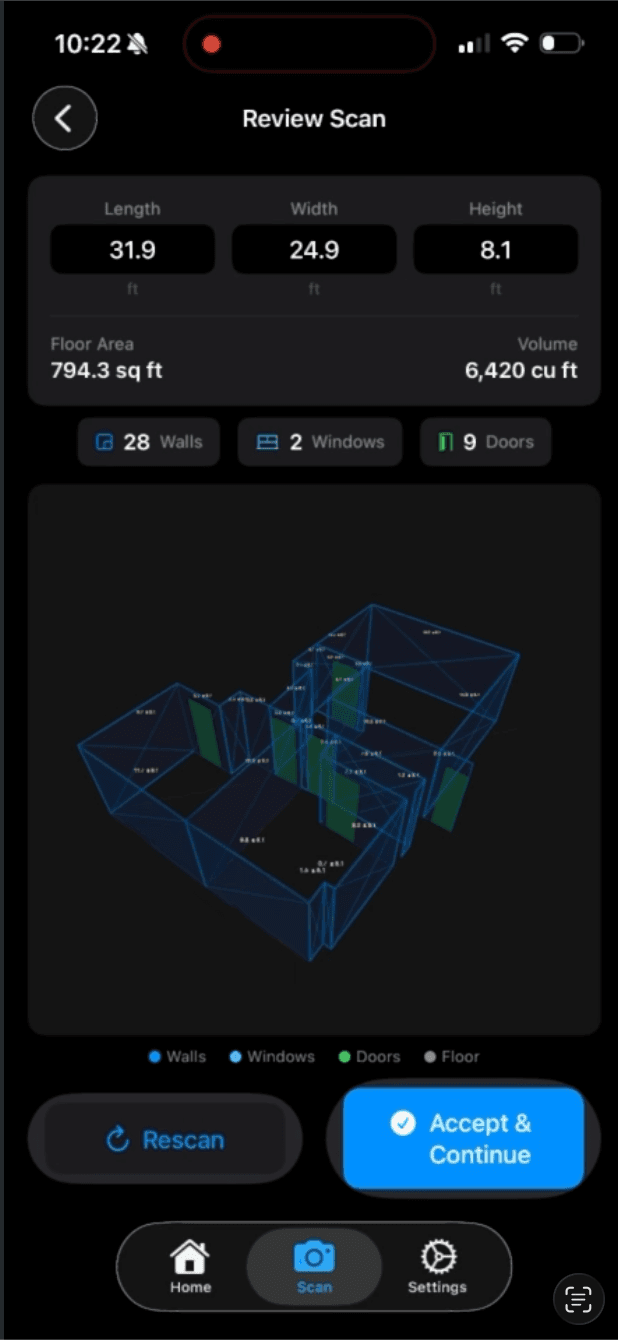
Instant scan review
The moment you finish scanning, HeatLoadPro shows you a 3D model of the room with dimensions, floor area, and counts of every wall, window, and door it detected — all measured automatically.
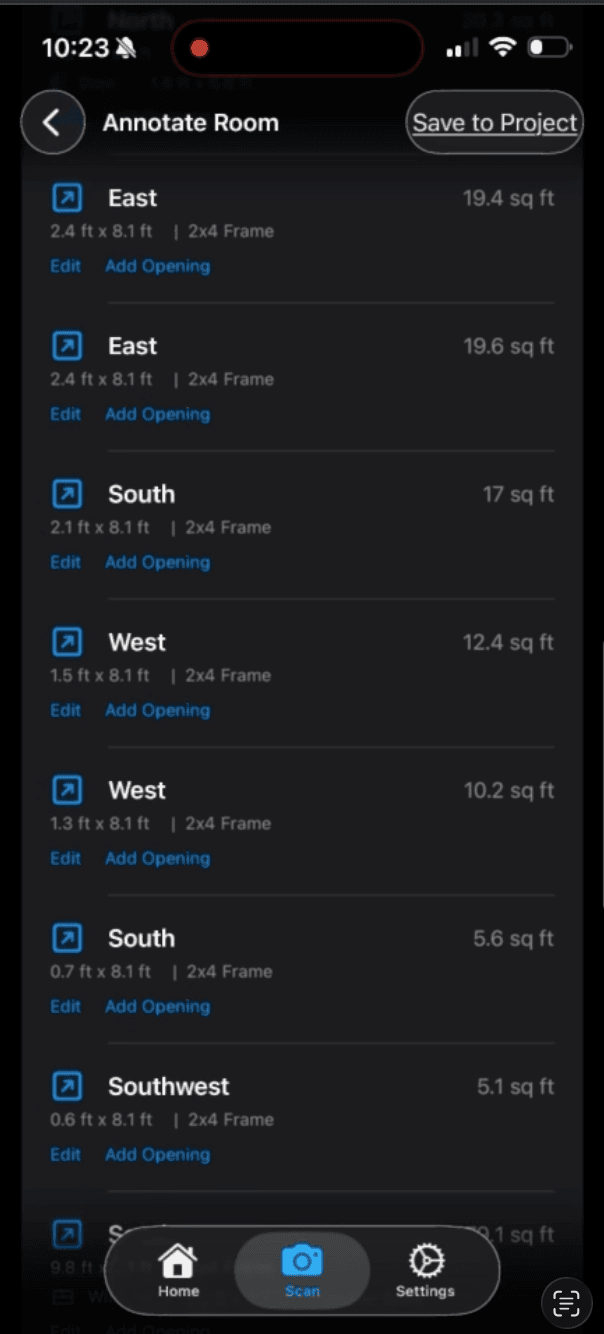
Every wall, annotated for you
Each wall is listed with its compass orientation, dimensions, framing type, and area. Tap Edit to fine-tune materials or Add Opening to log a window or door the scan missed.
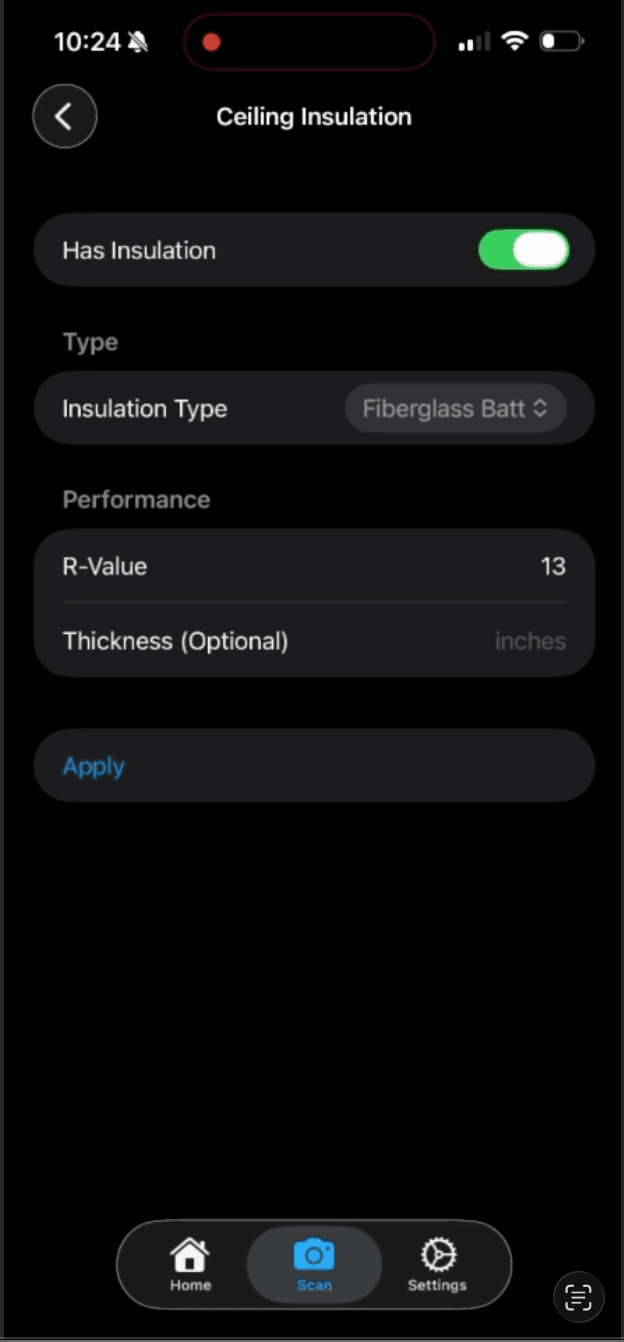
Quick insulation editor
Pick an insulation type and HeatLoadPro fills in the standard R-value, or override it with your own measurement. Cleaner than typing values into a Manual J spreadsheet.
From scan to report in 4 steps
No training required. If you can walk around a room, you can use HeatLoadPro.
You'll need a device with a LiDAR scanner — an iPhone 12 Pro or later, or a 2020 iPad Pro or later. LiDAR is only built into Pro models, so a standard iPhone or iPad can't run the room scan.
Create a Project
Start a new project for the job site. Enter the address and design conditions.
Scan Each Room
Open the scanner and slowly pan your iPhone Pro or iPad Pro around the room. LiDAR captures walls, windows, and doors automatically.
Review & Annotate
Confirm wall materials, insulation types, and window properties. Make any adjustments needed.
Calculate & Report
Tap Calculate to get instant results. Export a professional PDF report to share with your client.
Simple, transparent pricing
Start with a free trial. Upgrade to Pro for unlimited projects, PDF reports, and equipment recommendations.